Most partners we speak to have tried AI by now. Someone in the team has pasted a messy client email into ChatGPT, or asked Microsoft Copilot to tidy up an engagement letter. Then the next client meeting finishes, and the notes, the tasks and the follow-up email are still waiting for you at six o’clock, exactly as they were last year.
That gap between trying AI and getting hours back is what this post is about. We surveyed 259 accounting firms about the work that happens after client meetings, and the answers show where AI helps a practice right now and where firms are still stuck. You can read the full research here.
Where accounting firms are using AI today
AI in public practice is quieter than the headlines suggest. AccountingWEB found that 32% of surveyed accounting firms already use AI to transcribe calls and meeting notes, and turning meetings into minutes and action items is one of the top uses in the profession, alongside drafting emails and researching tax rules.
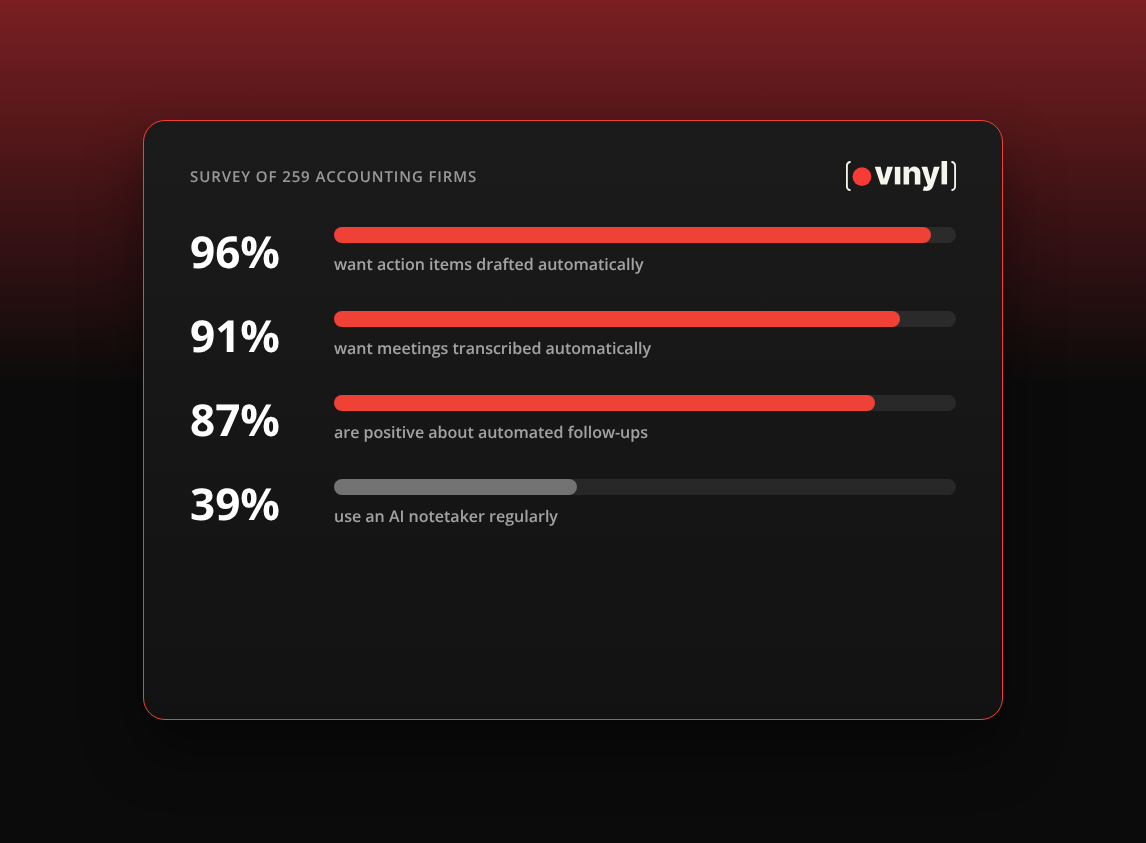
Our own survey shows a similar picture with a lot of variation inside firms. 39% of firms told us they use an AI notetaker regularly. 29% still take fully manual notes. The rest described patchy use, where one partner records every call and the manager down the hall still types into a Word document.
Where the time actually goes
The heaviest load in our survey sits in the hour after a client meeting.
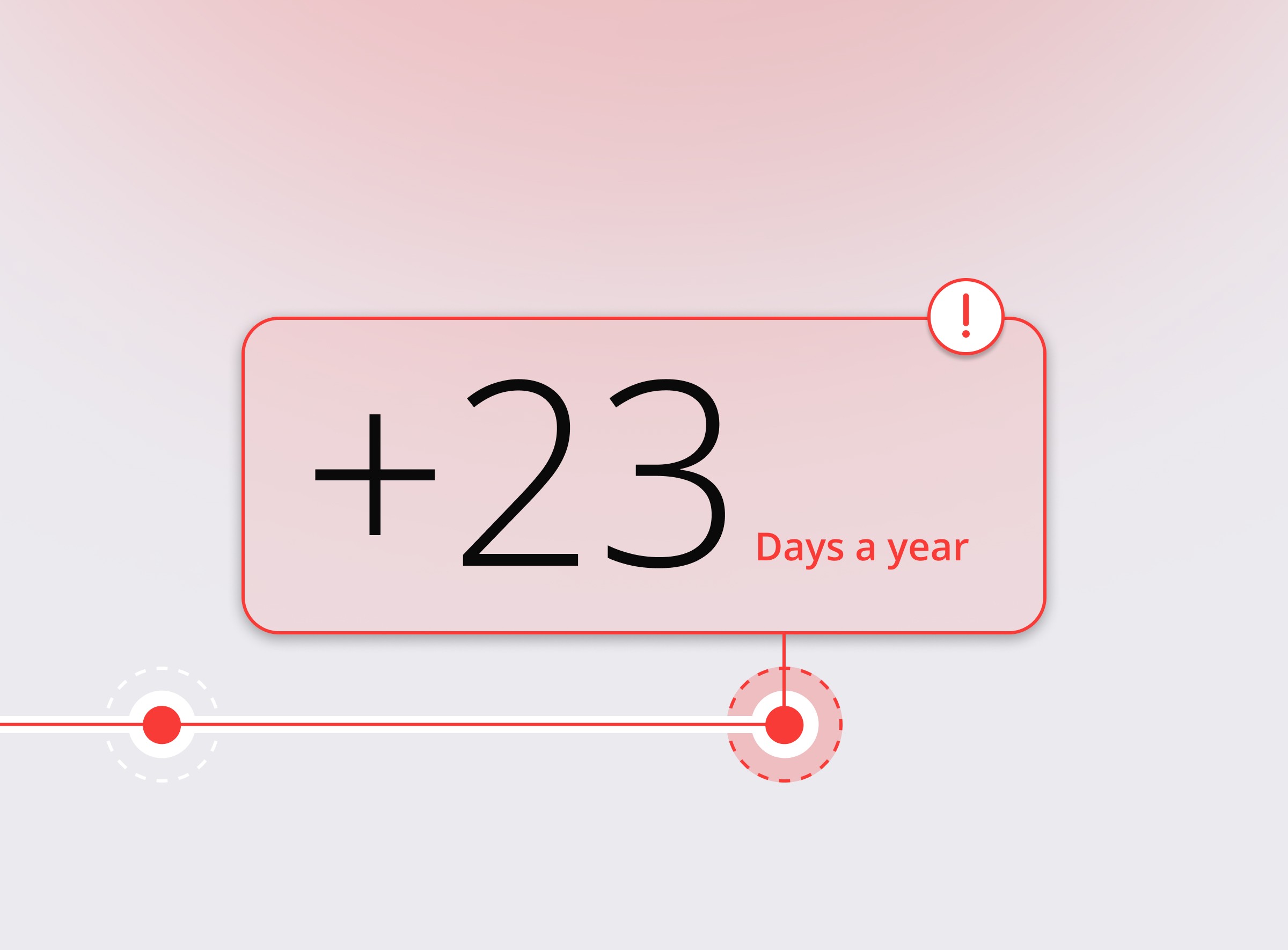
57% of firms spend at least 30 minutes on admin for every meeting, and for 30% it’s an hour or more. One in four firms run 11 or more meetings a week. The median firm in our survey loses 3.8 hours a week to post-meeting tasks. The upper quartile loses 11.8 hours, and the top 10% lose more than 23 hours a week, which is close to three working days.
The typing is the smaller part of that. Over 60% of firms said their biggest challenge is capturing action items and next steps clearly. When a meeting ends in a rush, someone has to rebuild what was agreed, who owns it and when it’s due, often from memory. And 12% told us their notes, tasks and client emails live in different systems, so even a good set of notes can sit somewhere nobody looks.
What firms say they want from AI
We asked firms which kinds of automation they’d welcome. The answers were clear:
- 96% want action items drafted automatically
- 91% want meetings transcribed automatically
- 87% are positive about automated follow-up emails
These are practical requests. They describe the jobs a careful junior would do after every meeting, done reliably enough that the partner can review them in two minutes and move on.
The gap between interest and adoption
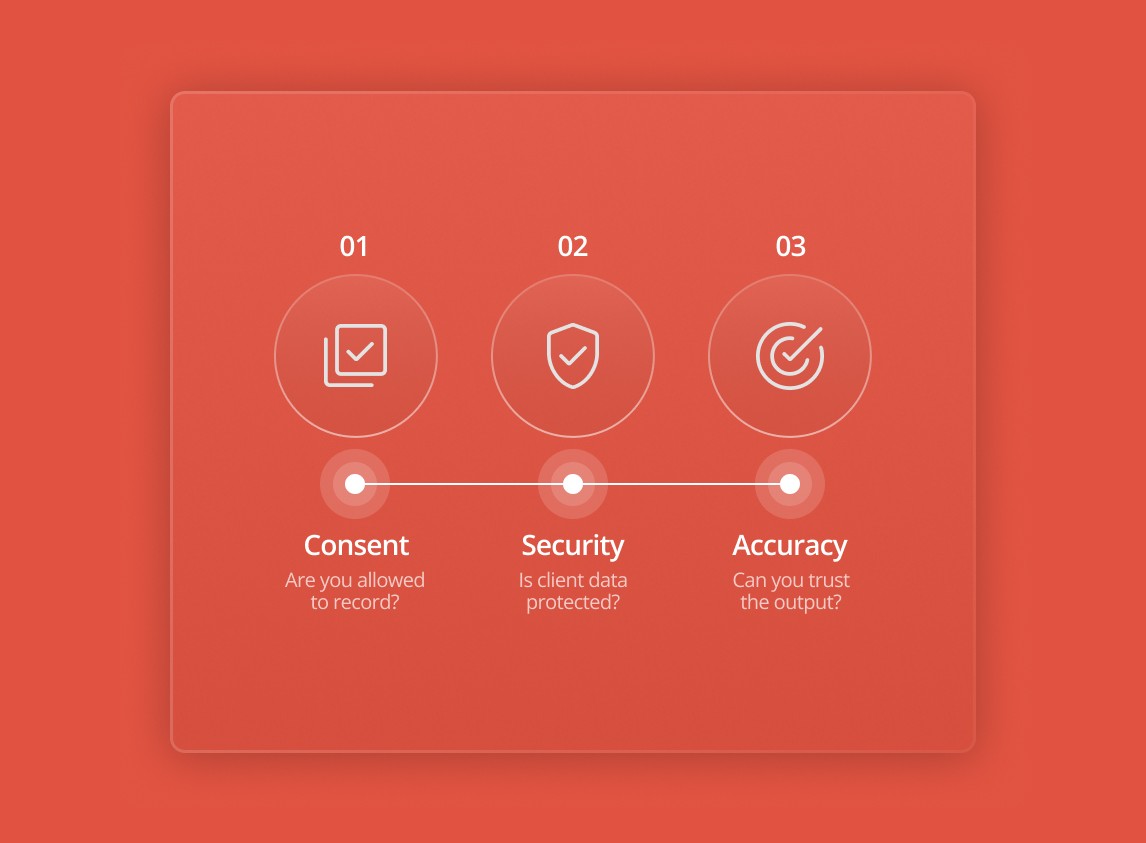
Almost every firm wants action items drafted for them, yet only 39% use an AI notetaker regularly. We don’t have survey data on why, so this part is our view from working with firms. The tool often sits outside the practice management system, so the notes still have to be copied into Karbon, FYI or XPM by hand, and the saving disappears. Nobody has agreed who checks the AI’s output, so people stop trusting it. And partners are rightly careful about client data, so the trial stalls while someone works out where recordings are stored. Each of those has a simple fix. If the worry underneath is whether AI will take the job itself, we answer that in will AI replace accountants?
A practical starting plan for your firm
Start with one workflow
Pick the job that costs you the most time and has a clear finish line. For most firms that’s the client meeting, from the moment the call ends to the moment the follow-up email is sent and the tasks are in your practice management system.
Before you change anything, ask two or three people to time the admin after each meeting for a week. You’ll want that number later.
Set a review rule
AI drafts and a person approves. Write that down so everyone works the same way. A simple version you can copy:
Our AI review rule
1. AI meeting summaries are drafts until the meeting owner has read them.
2. The meeting owner checks figures, dates and names before anything goes on the client file.
3. No follow-up email goes to a client until a person has read it and clicked Send.
4. If the summary is wrong, fix it in the tool so the record is right.
5. Tell the client at the start of any recorded meeting.
Choose tools that connect to your practice management system
This is where most of the time saving lives. If notes and tasks land in Karbon or FYI against the right client, nobody has to copy them across, and the next person who picks up the job can see what was agreed. Ask any vendor exactly what syncs and in which direction: with Xero Practice Manager, for example, Vinyl pulls your clients in but does not post notes back. Our integrations page lists what Vinyl connects to.
Check the data policy before anyone records a client
Before you roll anything out, find out where the recordings and transcripts are stored, who can see them, and whether the vendor trains its AI on your meetings. Then check your professional body’s guidance, whether that’s CPA Australia, CA ANZ, the AICPA, ICAEW or ACCA. We’ve written more about this in is it safe to use an AI notetaker in client meetings.
Review after a month
After four weeks, time the same workflow again and ask the team what they still do by hand. If the numbers have moved, add the next workflow. If they haven’t, look first at the connection to your practice system and the review rule.
If you run a bookkeeping firm
In our experience, bookkeeping firms often have a different meeting pattern, with fewer long advisory sessions and more short check-ins: a monthly catch-up on the books, a call about a payroll question, a visit to sort out a client’s receipts. Each one is small, but each one produces a handful of tasks and something the client needs to send you.
That makes the same plan a good fit. Start with the follow-up from those short calls, keep the client’s to-do list separate from yours, and make sure the record lands where your team already works. If you see clients in person, check that your tool can record an in-person meeting as well as a video call. The work itself still happens in Xero, QuickBooks Online or MYOB, and the meeting record tells your team what to do there. We’ve covered tools in more detail in the best AI notetakers for bookkeeping firms.
Where Vinyl fits
We build Vinyl for accounting and bookkeeping firms, so here is plainly what it does against the plan above.
Vinyl joins your Zoom, Microsoft Teams and Google Meet calls from your Google or Microsoft calendar. The mobile app records in-person meetings, and you can upload an audio file or a transcript from somewhere else. Each meeting gets an accounting-specific summary, concise or detailed, with firm actions and client actions kept separate. Ask Vinyl answers questions across all your past meetings.
Vinyl drafts the follow-up email, and you send it from your own Gmail or Outlook or save it as a draft, so a person always reads it first. It has two-way sync with Karbon and FYI and syncs clients, contacts and groups from XPM. It flags revenue opportunities raised in a meeting and can send that context into a proposal in Ignition, Socket or Anchor.
On data: the lasting copy of every meeting is stored on AWS in Sydney, and Vinyl does not train AI on customer meetings. Every plan includes unlimited users, starting with Starter at US$85, A$125 or £65 a month for 20 hours of meetings. The pricing page has the rest.
Start with the hour after the meeting
The firms we see getting real value from AI in 2026 have kept it simple. They picked the hour after a client meeting, because that is where the time goes, and they made it someone’s job to check what the AI drafts. If you only change one thing this year, measure that hour, then see how much of it you can give back to your team.
Frequently Asked Questions
How are accounting firms using AI in 2026?
The most common uses are transcribing meetings into notes and action items, drafting emails and researching tax questions. In our survey of 259 firms, 39% use an AI notetaker regularly and 29% still take fully manual notes.
What is the best place for a CPA firm to start with AI?
Start with one workflow that costs real time, such as the admin after client meetings. Time it for a week, set a review rule so a person approves every AI draft, and measure again after a month.
What should I check before choosing AI tools for an accounting firm?
Check whether the tool connects to your practice management system, such as Karbon, FYI or XPM, and exactly what it syncs. Then check where data is stored, whether the vendor trains AI on your meetings, and what your professional body’s guidance says.
Is AI useful for bookkeepers?
Yes, especially for the short, frequent client check-ins that create small tasks and requests for documents. Choose a tool that records in-person meetings as well as video calls and puts the record where your team already works.