Someone in your firm is already using ChatGPT. Maybe it’s the graduate who rewrites client emails with it, or the manager who asked it to explain a ruling before a meeting. Maybe it’s you, late on a Thursday, trying to get a nested IF formula to behave.
That’s mostly a good thing. Used well, a general AI assistant takes the blank page out of a lot of everyday writing. Used carelessly, it can put client information somewhere your firm never approved, or hand you a tax answer that sounds right and isn’t.
This guide covers the jobs ChatGPT handles well in an accounting or bookkeeping practice, with prompts you can copy, plus the things that should never go into it. Most of it applies equally to Claude, Microsoft Copilot and Gemini.
Where ChatGPT earns its place in a practice
Explaining technical points to clients in plain English
Clients often need the same idea explained more simply than you’d write it for a colleague. ChatGPT is good at taking your accurate explanation and making it readable. Write the substance yourself, then ask it to change the tone.
Rewrite the explanation below for a small business owner with no
accounting background. Keep every fact exactly as written. Use short
sentences, no jargon, and under 150 words. Use UK English spelling.

[paste your own explanation here, with no client names or figures]
The instruction to keep every fact as written matters. Without it, the tool may “improve” the substance as well as the style.
First drafts of internal procedures
Every firm has processes that live in one person’s head. ChatGPT can turn a rough list of steps into a tidy procedure your team can follow and improve.
Turn these rough notes into a step-by-step procedure for a junior
accountant. Use numbered steps, flag any step that needs a manager's
sign-off, and add a short checklist at the end.

Notes:
[paste your rough steps for, say, onboarding a new client]
A senior person should still review the draft. The tool will happily fill gaps with steps your firm doesn’t do.
Summarising long public guidanceSummarizing long public guidance
When a tax authority or professional body publishes a long document, ChatGPT can give you a first-pass summary so you know which sections to read closely. Use it on public material only, and read the source before you rely on anything.
Summarise the guidance below in 10 bullet points for an accountant
in public practice. For each point, quote the section or paragraph
number it comes from so I can check it against the original.

[paste the public guidance text]
Asking for section references makes the summary easy to verify. If it can’t point to a paragraph, treat the point as suspect.
Brainstorming questions before a client meeting
A short, anonymised description of a situation is enough for ChatGPT to suggest questions you might not have thought of. Keep it generic.A short, anonymized description of a situation is enough for ChatGPT to suggest questions you might not have thought of. Keep it generic.
I'm meeting a client who runs a hospitality business with two
locations and is thinking about opening a third. Suggest 12 questions
an accountant should ask about cash flow, structure, staffing costs
and financing. Group them by topic.
You’ll discard half of them, and the other half will sharpen your agenda.
Excel formulas
This is one of the safest and most useful jobs, because you can test the answer straight away. Describe the columns, give an example and say what you want.
In Excel, column A has invoice dates and column B has amounts.
Write a formula for cell D2 that totals the amounts for invoices
more than 90 days old as at the date in cell C1. Explain how the
formula works in two sentences.
Test it on a few rows you’ve checked by hand before you trust it across a whole schedule.
What never to paste in
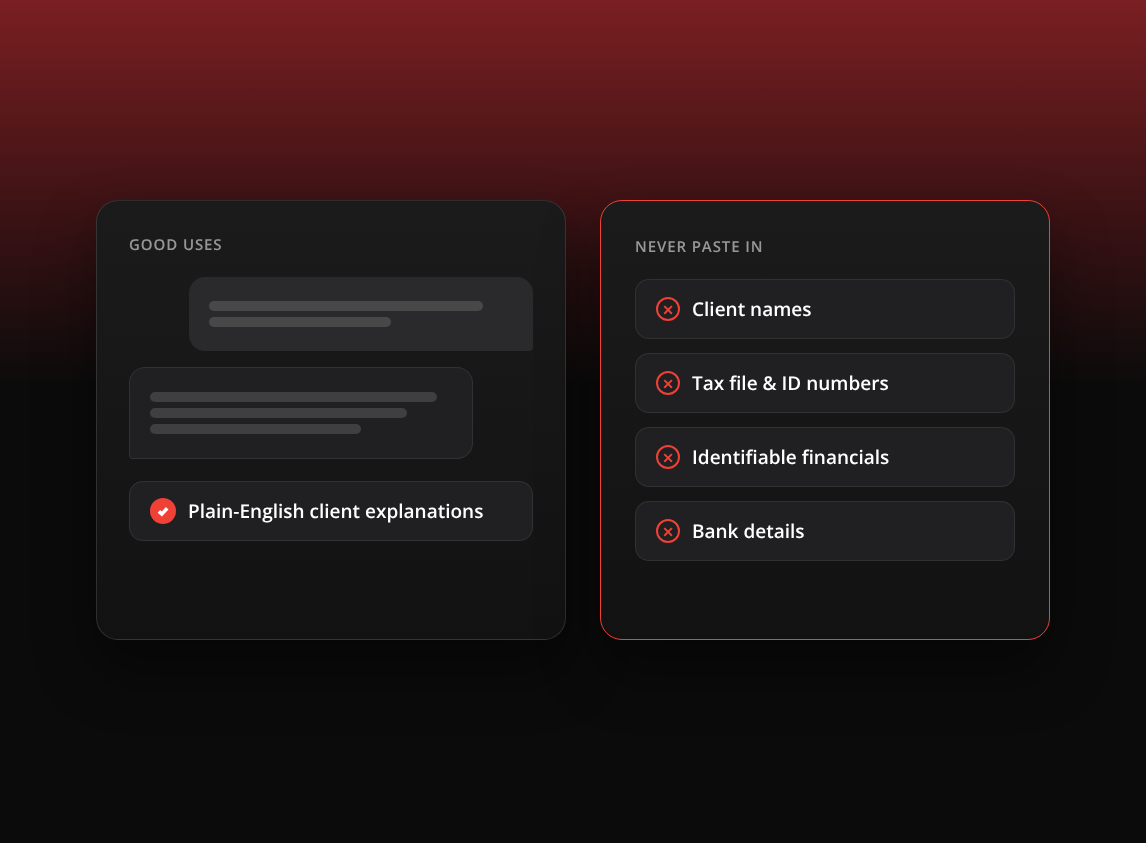
Treat a general AI assistant like an email to someone outside the firm. If you wouldn’t send it to a stranger, it doesn’t go in. That rules out:
- Client names, business names and contact details.
- Tax file numbers, social security numbers, National Insurance numbers and any other government identifier.
- Bank account details and login credentials.
- Financial statements, ledgers, payroll reports or tax returns that carry identifiers.
- Anything covered by a confidentiality agreement or your engagement terms.
Data settings and terms differ between plans and change over time, so don’t assume what applies to your account. Read the current terms for the plan your firm uses, check your firm’s policy, and check your professional body’s guidance, whether that’s CPA Australia, CA ANZ, the AICPA, ICAEW, ACCA or another body.
When you do need help with a real situation, anonymise it first. Replace names with “the client”, round the figures, and strip anything that would let a reader work out who it is. The prompts above are written that way on purpose.When you do need help with a real situation, anonymize it first. Replace names with “the client”, round the figures, and strip anything that would let a reader work out who it is. The prompts above are written that way on purpose.
Check every tax answer against primary sources
ChatGPT writes with the same confidence whether it’s right or wrong. On tax, that’s the main risk. Its knowledge can be out of date, it can mix up rules from different countries, and it can cite a section or ruling that doesn’t exist.
Use it to get oriented, then go to the legislation, your tax authority’s own guidance and your firm’s technical resources before anything reaches a client. If the answer would end up in advice or a return, a qualified person checks it against the source.
A short ChatGPT policy for your firm
If your firm doesn’t have one yet, a single page is enough to start. Cover these points:
- Which AI tools staff may use for work, and on which plan.
- What may never be entered, using the list above.
- That all output is reviewed by a person before it’s used.
- That tax and technical answers are checked against primary sources.
- Who to ask when someone isn’t sure.
Review it every six months. The tools change faster than most firm policies.
Where a purpose-built tool fits for client meetings
Client meetings are where firms are most tempted to bend the rules. In our survey of 259 accounting firms, some described feeding meeting transcripts into ChatGPT or Claude to summarise them. That puts the most sensitive conversation in your week into a general tool, and someone still has to copy, format and file the result every time., some described feeding meeting transcripts into ChatGPT or Claude to summarize them. That puts the most sensitive conversation in your week into a general tool, and someone still has to copy, format and file the result every time.
Meetings deserve a tool designed for them. Vinyl records Zoom, Microsoft Teams and Google Meet calls, and the mobile app records in-person meetings. Summaries are written for accounting work, with firm and client actions separated, and they sync to Karbon and FYI. Vinyl drafts the follow-up email, and you send it from your own Gmail or Outlook once you’ve checked it.
On data, primary data is stored in Australia, and Vinyl does not train AI on customer meetings. Our guide on whether it’s safe to use an AI notetaker in client meetings covers consent, security and review in more detail.
Use it for the writing, keep the judgementUse it for the writing, keep the judgment
ChatGPT is at its best on the writing around your work: the explanation, the procedure, the formula, the list of questions. The advice itself still comes from you. Give your team clear rules about what goes in and what gets checked, and it becomes an assistant your whole firm can rely on.
Frequently Asked Questions
Can accountants use ChatGPT?
Yes, for tasks such as drafting plain-English explanations, internal procedures, Excel formulas and meeting questions. Follow your firm’s policy and your professional body’s guidance, keep identifiable client information out, and review everything before it’s used.
Is it safe to put client data into ChatGPT?
Don’t put identifiable client data into a general AI assistant unless your firm has approved that tool and plan for client data. Leave out names, tax file numbers, social security or National Insurance numbers, and financial statements with identifiers. Anonymise the situation instead.Don’t put identifiable client data into a general AI assistant unless your firm has approved that tool and plan for client data. Leave out names, tax file numbers, social security or National Insurance numbers, and financial statements with identifiers. Anonymize the situation instead.
Can ChatGPT answer tax questions accurately?
Sometimes, but you can’t tell from the answer alone. It can be out of date or confuse rules between countries. Check every tax answer against legislation and your tax authority’s guidance before relying on it.
Should I use ChatGPT to summarise client meetings?Should I use ChatGPT to summarize client meetings?
We’d advise against pasting client meeting transcripts into a general assistant. A purpose-built meeting tool such as Vinyl stores primary data in Australia, doesn’t train AI on your meetings and files the summary to the client record.