Why proposals stall after the meeting
Building the proposal means rebuilding the meeting. Which services did you land on? Was payroll in or out? Did they want monthly or quarterly reporting? If the notes are thin, you’re working from memory, and you keep re-checking the scope because you’re not sure you caught everything.
Then there’s the price. Writing a number down and sending it is where plenty of good accountants hesitate, particularly for advisory work without a standard fee. Bec Argent described it plainly:
I’ll push it out two weeks, which is so bad. It’s just because I get anxious about the money and what I’m billing myself.
Bec Argent, who runs her own practice. Read the story
Our research across 259 accounting firms found the median firm loses 3.8 hours a week to post-meeting tasks, and over 60% say capturing action items and next steps is their biggest challenge. A proposal is the most valuable of those tasks and usually the longest, so it’s the easiest to put off.
The manual way: meeting to proposal by hand
If you’re doing it without help, this order keeps the proposal close to what the client heard:
- In the meeting, listen for scope: the services, how often, deadlines and who does what. Ask the client to confirm anything you’re unsure of before you leave.
- Straight afterwards, write a short scope summary in your own words while it’s fresh.Straight afterward, write a short scope summary in your own words while it’s fresh.
- Match each item to a service in your proposal tool’s library, or add a new service if it’s genuinely new work.
- Check what’s already covered in the client’s current engagement, so you don’t propose work they’re already paying for.
- Price it, then send the follow-up email confirming what you discussed and that a proposal is on its way.
- Send the proposal the same day if you can.
Our guide to running a client advisory services meeting covers the meeting itself: how to prepare, what signals to listen for and how to close on a next step.
How Vinyl turns a client meeting into a proposal
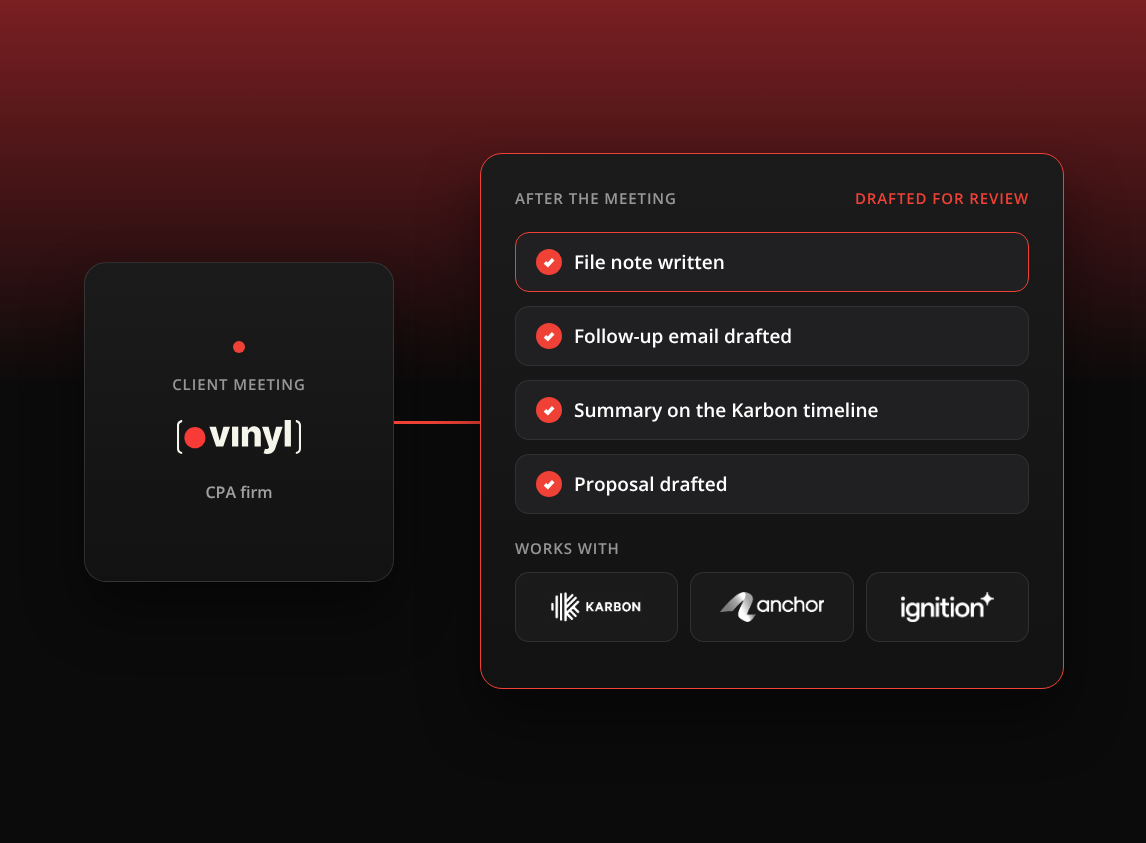
Vinyl records the meeting, whether it’s on Zoom, Microsoft Teams or Google Meet, or in person through the mobile app. From there the workflow has three steps, and you can use each one on its own.
Step 1: Revenue Opportunities flags the work raised
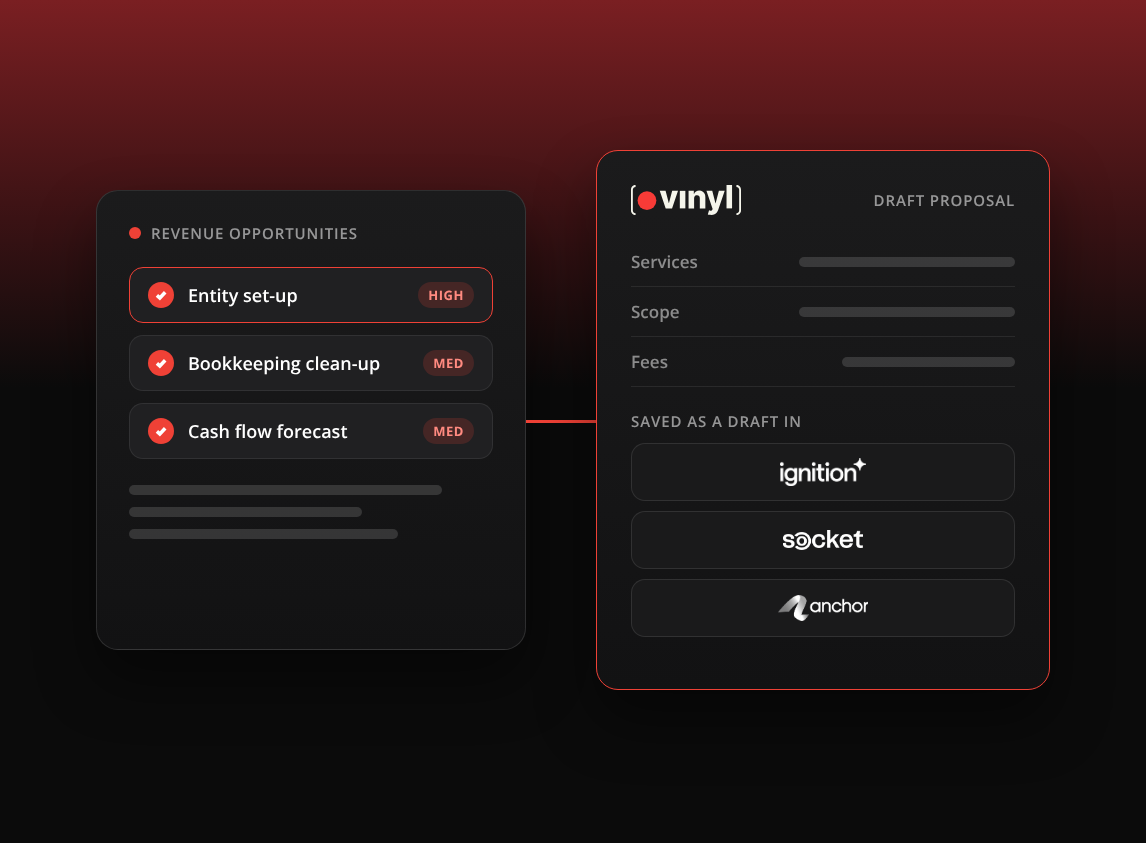
Open the meeting and run Revenue Opportunities. Vinyl lists the services the client mentioned, each with the quote that supports it, a confidence rating based on how clearly the client expressed the need, an urgency rating, a suggested talk track and a fee value. You can run it on one meeting or across a client’s meetings, and it works on older transcripts too.
These are suggestions. You decide which ones belong in the proposal and which are a conversation for later.
Step 2: Draft the follow-up email
Vinyl drafts a follow-up email covering what was discussed and the actions agreed. You edit it and send it from your own Gmail or Outlook. Nothing sends automatically.
Step 3: Draft the proposal in your proposal tool
Vinyl checks whether the client and the services already exist in your proposal tool, then drafts the proposal from the meeting and your service library in about a minute. You review the draft in Vinyl and can ask for changes in chat. When you click Create, it’s saved as a draft in your proposal tool, where you finish it and send it for signature.
Vinyl works with one proposal tool at a time, and each one handles a few details differently.
Ignition. Vinyl reads your service library (names, descriptions and current prices), the client’s existing proposals and agreements, and your master agreement terms, so it can tell whether work is already covered, needs a change request or is a new engagement. If the client or a service doesn’t exist yet, Vinyl can create it with your approval. Drafts use Ignition’s tax-inclusive pricing and your proposal templates, and default to manual invoicing, which you can change on the review card before you click Create. The firm’s Master Admin can check proposals are switched on under Settings > Permissions.
Socket. The meeting summary gives your team the scope, pricing context, decisions and next steps to carry into Socket proposals, onboarding steps and client engagement workflows. Services that don’t match your Socket library are added as custom project lines.
Anchor. Vinyl pairs the transcript with your Anchor service and pricing data to suggest what to propose and how to price it, often within 30 seconds. Services need to exist in Anchor before Vinyl can use them, so add any missing ones first.
How this worked for Bec Argent
Bec runs her own practice and sees most of her clients in person, so she records meetings with Vinyl in the room. Before Vinyl, she built proposals in Ignition by hand, service by service, from memory and her own notes. A group proposal could take half a day to a full day, and finished proposals sometimes sat unsent for up to two weeks.
Now she runs Revenue Opportunities on the meeting first, then asks Vinyl to draft the Ignition proposal from the transcript, the summary and the opportunities it surfaced. For existing clients she adjusts the prompt to check for work already delivered that hasn’t been billed. A group proposal now takes her 30 minutes at most.
Now that I know I don’t have to question the context of what’s in it, I’m breezing through it quicker.
Bec Argent, who runs her own practice. Read the story
The one habit she’s still building is remembering to press record at in-person meetings, because the draft is only as good as the meeting Vinyl heard.
What to review before you send
A drafted proposal is a strong starting point. It still goes out under your name, so read it with these in mind:
- Scope wording. Does it describe what the client agreed to, in words they’d recognise? Take out anything they didn’t ask for.Does it describe what the client agreed to, in words they’d recognize? Take out anything they didn’t ask for.
- The opportunities you included. Each one should be work the client wants now. The rest can wait for the next conversation.
- Price. Check each fee against your own judgement of the job, especially for advisory work.Check each fee against your own judgment of the job, especially for advisory work.
- The right entity. In a group, make sure the proposal is for the entity that’s actually engaging you.
- What’s already covered. Confirm the work isn’t already in the client’s current engagement.
- Invoicing settings. In Ignition, drafts default to manual invoicing, so set it the way you want before you send.
The best time to send a proposal is while the client still remembers the conversation that led to it. If the draft is waiting for you when the meeting ends, most of the reasons to put it off are already gone, and what’s left is your judgement on the scope and the price.The best time to send a proposal is while the client still remembers the conversation that led to it. If the draft is waiting for you when the meeting ends, most of the reasons to put it off are already gone, and what’s left is your judgment on the scope and the price.
Frequently Asked Questions
Can Vinyl send the proposal to my client?
No. Vinyl only creates a draft in Ignition, Socket or Anchor after you click Create. You finish the proposal and send it for signature from your proposal tool.
Which proposal tools does Vinyl work with?
Ignition, Socket and Anchor, one at a time. Disconnect one before connecting another.
Does this work for in-person meetings?
Yes, as long as the meeting was recorded through Vinyl, either by the meeting bot on a video call or with the mobile app in the room.
Can I run Revenue Opportunities on old meetings?
Yes. It works on historical transcripts, so you can check past meetings for work that was raised and never proposed.
What if my firm doesn’t use a proposal tool?
You can still run Revenue Opportunities and draft the follow-up email. The proposal step needs Ignition, Socket or Anchor connected.