Why Zoom, Teams, and Google Meet Notetakers Fall Short for Accounting Firms

Jordan Vickery
·
0
min read
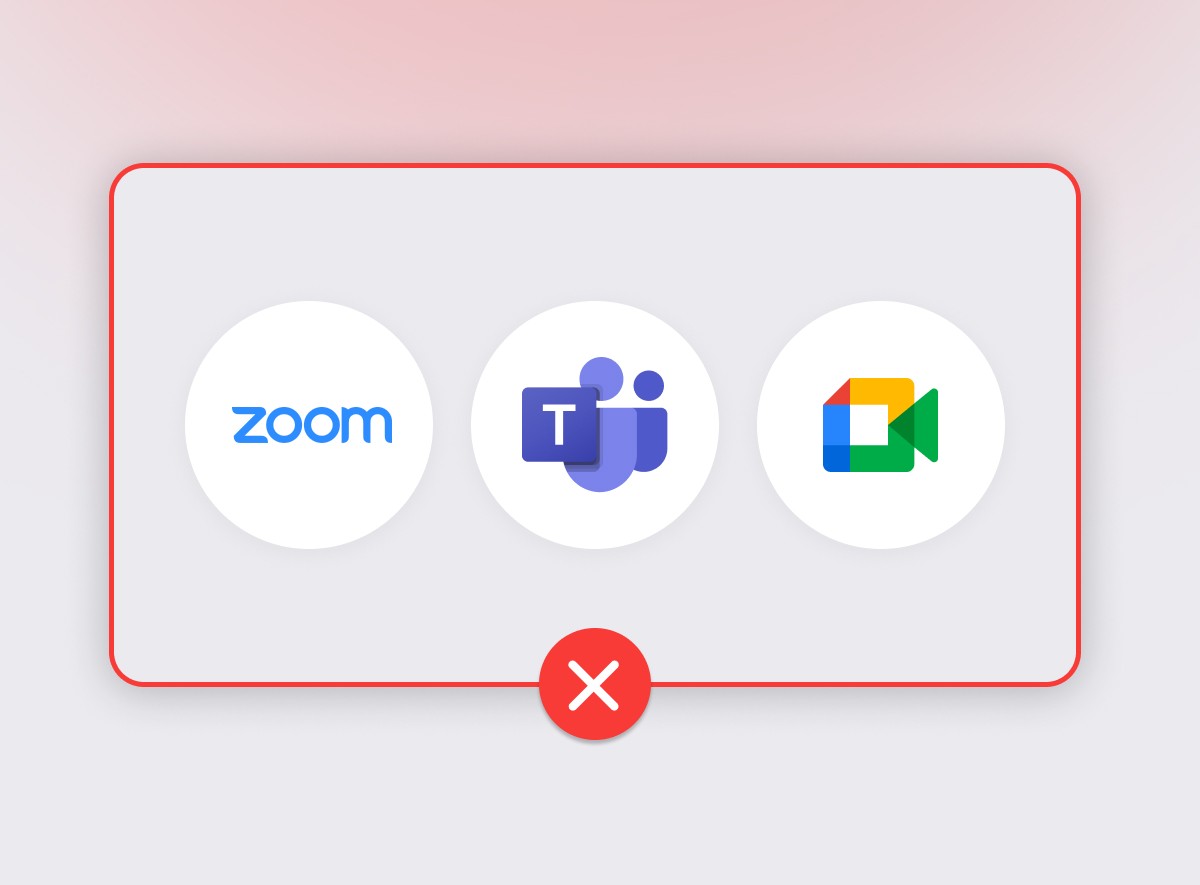
Native AI notetakers built into tools like Zoom, Teams, and Google Meet may seem convenient, but they often fall short for accounting firms because they don’t support real workflows, client context, or actionable follow-through.
Key points:
Why platform-specific notetakers create limitations for firms working across multiple meeting tools and formats
The problem of meeting notes living in isolation, requiring manual effort to become useful
How generic summaries often miss critical accounting details like compliance, deadlines, and decisions
The lack of team-wide visibility when notes aren’t linked to clients or shared systems
Why manual processes lead to lost information, inconsistent follow-up, and inefficiencies
The limitations of basic transcripts without deeper analysis or ability to extract insights across meetings
How workflow-focused tools capture meetings across platforms, including in-person interactions
Zoom's got one. Teams too. Even Google Meet wants in. AI notetakers are suddenly everywhere. But when you run an accounting or bookkeeping firm, these native tools don't quite cut it.
They might look convenient on the surface: free, simple, already built into the platform you're using. But when it comes to capturing real conversations, surfacing decisions, and feeding your workflows?
Most of them drop the ball.
Let's dig into why — and what your firm actually needs instead.
The Problem with Native AI Notetakers
They're Stuck in One Platform
Zoom AI only works on Zoom. Microsoft Copilot only works on Teams. Gemini sticks with Google Meet.
But most firms don't live in a single platform. Your clients might book on Zoom one day and show up on Teams the next. And let's not forget the kitchen-table meetings, phone calls, and in-person catchups that never make it onto a calendar.
Native notetakers can't follow you across platforms — or into real life. If a conversation doesn't happen on their platform, it doesn't exist.
Notes Get Lost in the Shuffle
Capturing a meeting is one thing. Actually using those notes is another.
Most built-in tools leave you with a basic summary or transcript… which then lives in isolation. You'll need to manually download it, rename it, file it, and maybe copy-paste the highlights into your client system or a follow-up email.
Let's be honest: that rarely happens. The notes sit in a recordings folder, and the follow-up happens from memory — or not at all.
"We relied on Teams recordings that expire, so we'd have to manually save them to the client's SharePoint folder to keep them. Then we moved to Fireflies, but there was no connection to Karbon, so someone still had to go into Fireflies or dig through the email summary to make the notes actionable. Nothing was automatic." — Ashley Rhodes, COO, High Rock Accounting
Generic Summaries, No Context
These tools aren't built for accountants. That shows up in the summaries.
They'll dutifully include the chat about someone's dog, the weather in Devon, and last weekend's rugby match. But they often miss the compliance deadline or the advisory work the client actually came to discuss.
That's because native AI notetakers aren't trained for accounting-specific language. There's no understanding of what's relevant, what's regulatory, or the difference between AR and AP. They don't separate firm actions from client actions. Everything gets lumped into a single list where the important stuff drowns in noise.
For a firm that needs clean, actionable notes — not a transcript of small talk — that's a dealbreaker.
Zero Visibility Across the Team
Most built-in tools don't tag meetings to clients. They don't offer global search. They don't let your team easily see what's already been discussed.
Unless someone goes in manually and moves things around, meeting notes live in silos, lost in someone's inbox or locked inside a random cloud folder. That makes it hard to pick up the thread when a client calls back, or when someone else on your team needs context.
"Before Vinyl came along, we were recording Zooms and just saving them onto a confidential database. You go on there, you download the MP3, you put it into Loom, you wait for it, you tag it… it was pretty manual." — Kevin Barry, Barry's Accountants
No Transcript Analysis
Want to turn a transcript into a checklist? A process doc? A scope of work?
With native tools, that means downloading the transcript and pasting it into another AI tool like ChatGPT. That's not only clunky, it's a security risk. And it only works one meeting at a time. No way to look across multiple clients or spot recurring issues.
Your meeting data should be working for you — not sitting in a file you never open again.
How Vinyl Solves the Whole Mess
Platform-Agnostic + In-Person Friendly
Vinyl works across all the big platforms: Zoom, Teams, and Google Meet. Plus, there's a mobile app to capture face-to-face meetings or phone calls on the fly.
You don't need to change how you meet. Vinyl adapts to you.
"If you're sitting on Zoom or Microsoft Teams already, the Vinyl won't be a problem." — Kevin Barry, Barry's Accountants
Organised by Client, Not by Chaos
Every meeting is auto-tagged to the right contact or client record. That means you can pull up the last five conversations with a client in seconds, or search by topic, date, or keyword across all your meetings.
No more guessing which folder something's in.
"No more fear about following up on what happened in client meetings. Everything's there immediately — and everyone knows where to look." — Ashley Rhodes, High Rock Accounting
Read more about how High Rock Accounting ditched Fireflies for Vinyl here.
Built for Accounting Conversations
Vinyl filters out the fluff and locks onto what matters: compliance, deadlines, decisions, questions, and next steps. It understands the language of tax, payroll, advisory, and audits because it was built for firms like yours.
But it goes further than just understanding the words. Vinyl separates firm actions from client actions in every summary — so you always know who's responsible for what. No more re-reading transcripts to figure out whether it was you or the client who was supposed to send the documents.
Summaries hit around 95% accuracy with accounting-specific terminology. Xero is spelt with an X. GST isn't confused with a typo. The output reads like your team wrote it, not a generic AI.
Sharp, structured, and easy to action.
Dynamic Post-Meeting Actions
Here's where native tools really fall behind: they give you the same generic summary for every meeting, regardless of context. A client advisory session gets the same treatment as an internal standup.
Vinyl generates different outputs depending on the type of meeting:
For client meetings, you get tailored post-meeting actions including a draft follow-up email, structured file notes (ready for compliance), and a detailed summary — all generated automatically from the conversation.
For internal meetings, the outputs shift to match: team actions, decisions, and key discussion points formatted for internal use.
No more staring at a blank email window trying to summarise an hour-long meeting. Review, tweak, send. See how dynamic actions work →
Connected to Your Practice Stack
With built-in integrations for XPM, FYI, and Karbon, Vinyl doesn't just sit there. It syncs your notes and action items directly into the tools your team already uses — automatically.
No downloading. No renaming. No filing. No copy-pasting into a client record. The conversation turns into action without anyone touching it.
Jim Leeves at Shapes evaluated Otter and Fireflies before choosing Vinyl — because none of the alternatives could push notes directly into Karbon. Within a week, Shapes turned on automatic recording for every meeting and went on to grow revenue 140% year-on-year with the same-sized team.
AI That Goes Further
Want to create a scope of work? Draft a client handoff doc? Analyse themes across all your advisory meetings last quarter?
Vinyl can do that.
Ask Vinyl lets you query across multiple meetings and clients to surface trends, spot recurring issues, and generate documents — all from within the product. It's not just meeting recall. It's cross-meeting intelligence.
In a click — whether it's one meeting or 10.
No more copy-pasting into ChatGPT. No more reformatting. Just a simple Ask Vinyl interface you can use directly in the product.
One Price, Whole Firm
Native notetakers might look "free" — until you need Copilot Pro licences across the team, or start hitting usage limits on Zoom AI.
Vinyl runs on one subscription with unlimited users. No per-seat costs. Your whole firm gets access from day one, which means adoption happens across the team — not just for whoever has the right licence.
Forget the Note. Capture the Workflow.
Meetings are expensive. And the gold is in the follow-through.
Native tools give you a transcript. Vinyl gives you a structured, searchable record — linked to your client, tied to your tools, and primed for action.
So you don't just remember what was said. You make sure it actually gets done.
Haga Kommer went from having multiple AI notetaker bots joining the same client calls to a single system with Vinyl — cutting post-meeting write-ups from 20 minutes to 5 and saving roughly an hour a day. Sadler Advisory had been using Copilot transcripts but still manually reconstructing the output — Vinyl gave them immediate, structured notes and saved 6 hours on a single R&D claim write-up.
Ready to take Vinyl for a spin?
→ Start a free trial and see it on your next client call → Book a 15-minute demo if you'd rather see it in action first
Frequently Asked Questions
Why do Zoom, Teams, and Google Meet notetakers cause problems for accounting and bookkeeping firms?
Because they're designed to work inside a single meeting platform and generate basic summaries or transcripts, not to support how firms operate day to day. Accounting teams need meeting notes that flow into client records, follow-ups, deadlines, and workflows, while native tools often leave that work as manual admin. They also don't understand accounting-specific context — so summaries miss what matters most.
What's the biggest limitation of native AI notetakers if a firm uses multiple meeting platforms?
They don't work across platforms. Zoom's notetaker only works in Zoom, Copilot stays in Teams, and Gemini stays in Google Meet. If clients switch platforms, or meetings happen by phone or in person, these tools can't capture conversations consistently across all the ways firms meet.
Why do meeting notes from built-in tools often go unused after the meeting?
Because the output usually sits in isolation as a transcript or summary. Someone still has to download it, rename it, file it correctly, and copy the important details into client systems or follow-up emails. When that process is manual, it often doesn't happen — and the notes collect dust in a recordings folder.
Why are generic AI meeting summaries risky for accountants?
They can capture irrelevant small talk while missing what actually matters in an accounting context, such as compliance deadlines, decisions, advisory work, and clear next steps. Without understanding accounting-specific language and priorities, important details can be overlooked. And without separating firm actions from client actions, it's unclear who's responsible for what.
What makes Vinyl's summaries different from native notetaker output?
Vinyl is trained on accounting-specific language and generates structured summaries that separate firm and client actions, flag deadlines and compliance items, and filter out irrelevant conversation. Summaries hit around 95% accuracy and read like a team member wrote them. On top of that, Vinyl generates different outputs depending on the meeting type — client meetings get follow-up emails, file notes, and detailed summaries, while internal meetings get team-specific actions and decisions.
How does a workflow-focused tool address these issues differently than native notetakers?
Meetings can be captured across platforms, including in-person conversations via a mobile app, then organised by client and turned into structured, searchable records. Notes and action items are connected directly to practice tools like XPM, FYI, and Karbon, so meetings lead to clear follow-through without adding extra admin work. And with Ask Vinyl, you can query across all your meetings to surface trends, draft documents, and spot patterns you'd never catch one meeting at a time.
How much does Vinyl cost compared to native notetakers?
Native tools might seem free, but advanced features like Copilot Pro require per-user licences that add up across a team. Vinyl runs on a single subscription with unlimited users — so your whole firm gets access without per-seat costs. See pricing →
Co-Founder

Table of Contents
Start using Vinyl today
Automatically capture all of your meeting notes
Sync notes & actions to your practice management system
Don't let actions & follow ups fall through the cracks
Start capturing meetings with Vinyl today
"I've been wary of AI notetakers in the past...but Vinyl just gets it. So easy to set up, and the summaries hone in on all the important items. Everything just happens automatically, reducing all the small tasks that quickly add up."