More Control, Same Great Sync: Meet Manual Sync for Karbon and FYI

Trent McLaren
·
4
min read
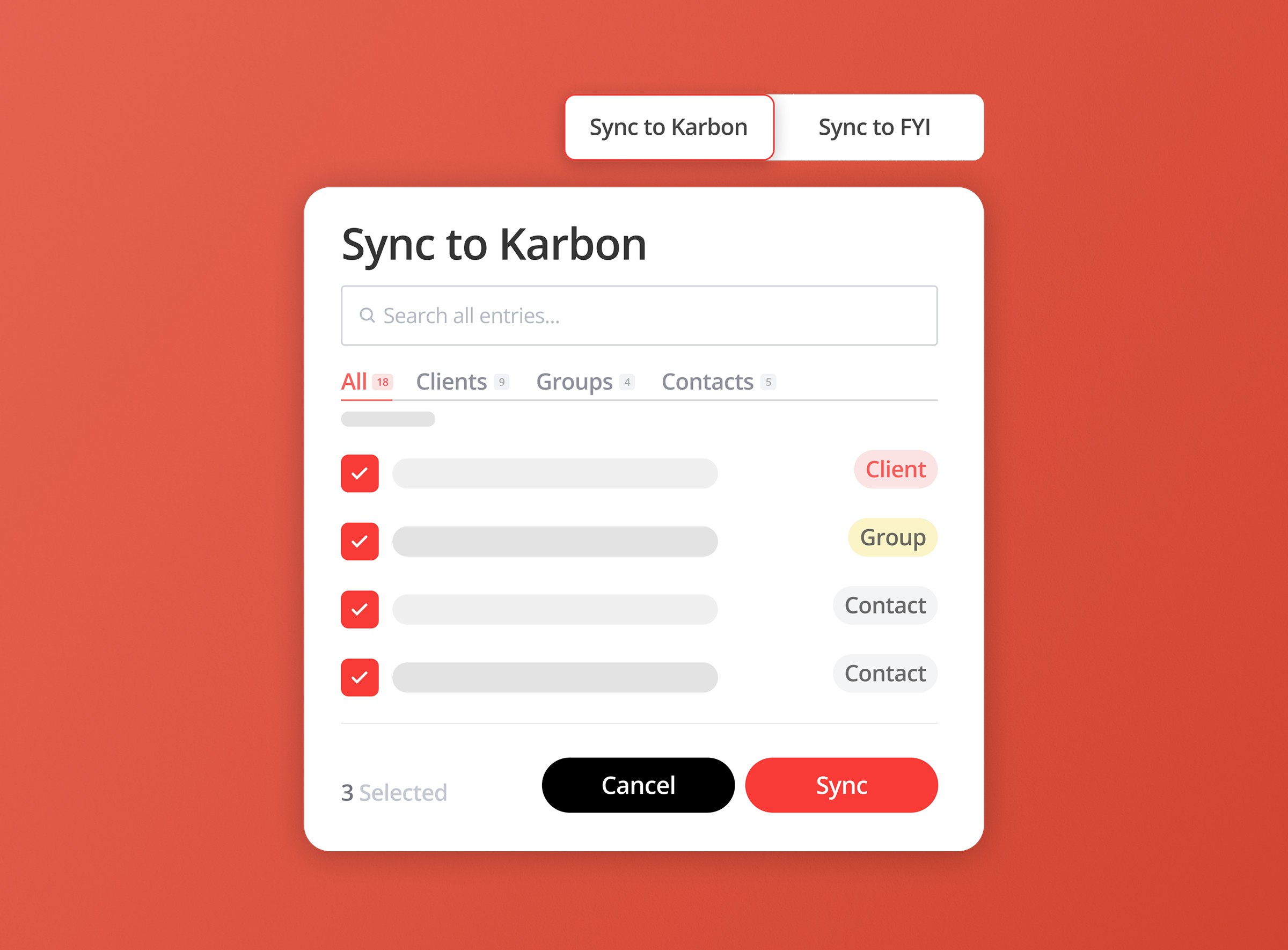
Managing where meeting notes are stored is not just about automation, but about giving teams the right level of control to match how their workflows actually operate.
Key points:
Why different firms need different approaches to syncing meeting notes into their systems
The choice between auto sync for speed and manual sync for precision in handling client records
How auto sync reduces admin by automatically posting notes based on meeting participants
When manual sync is more effective, especially for clients with multiple entities or complex structures
The ability to choose exactly where meeting notes are stored to avoid misplacement and rework
How both methods still provide the same structured outputs, including summaries, action items, and transcripts
Every firm has its own way of working.
Some teams want meeting notes posted to client records automatically, with minimal admin. Fair enough. When you’ve got a packed calendar and a queue of client work staring at you, fewer clicks is a beautiful thing.
Other teams want a bit more say over where notes land. Not because automation is the problem. Quite the opposite. It is because the right kind of automation should fit the way your firm already runs.
That’s why we’ve introduced manual sync for our Karbon and FYI integrations.
It gives your team the choice between two solid options: keep things flowing with auto-sync, or choose exactly where each meeting is posted with manual-sync. Same integration. Same tidy meeting output. More flexibility.
And in a world where accountants are already losing 3.8 hours a week to meeting admin, flexibility matters.
One integration, two ways to work
We designed our Karbon and FYI sync to support different firm preferences, not to force everyone into a single workflow.
For some firms, auto sync will still be the obvious winner. Once a meeting has a transcript and summary, Vinyl can automatically post the notes to matched entities based on meeting attendees. That means less manual handling, faster filing, and a cleaner handoff from conversation to client record.
For others, manual sync will be the better fit. It gives users control over exactly which entities should receive the meeting note. So instead of relying on the default matching flow, your team can make the call themselves.
That’s the key point here: this is not auto versus manual in some dramatic software cage fight. No one needs that energy before lunch. It’s simply a choice between speed-first and control-first.
Why auto sync still matters
We’re very much still fans of automation.
A huge part of Vinyl’s value is that it removes the boring bits after meetings. We already help firms capture notes, summaries and actions automatically, then organise them against client context in tools like Karbon and FYI. That is exactly the kind of admin your team should not be spending brainpower on.
Auto sync is brilliant when your workflow is consistent, and you want notes posted with minimal effort. It keeps momentum high and helps teams stay on top of follow-ups without someone needing to play traffic controller after every call.
That matters because fragmented systems are already a pain point for firms. In our own research on meeting admin, 60% of accountants said capturing notes and action items is their biggest struggle, while disconnected tools only add more drag.
Auto sync helps remove that drag.
Where manual sync earns its keep
Manual sync is for the moments when your team wants more precision.
Once a meeting has both a transcript and summary, users can click the sync badge on the meeting and choose where the note should go. That includes previously synced entities, suggested entities, and a full searchable list of available PMS entities.
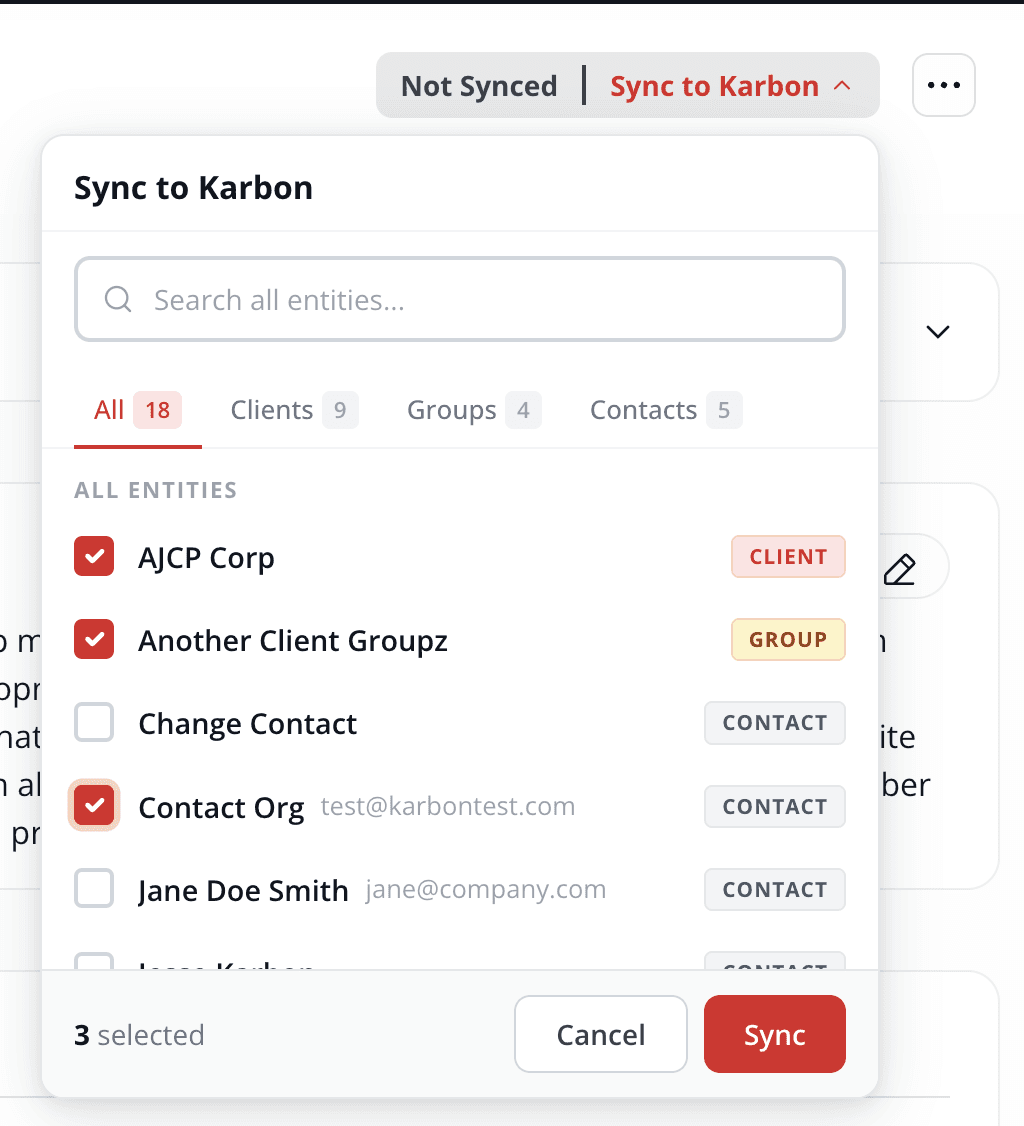
In plain English: your team gets to decide.
That’s especially helpful for firms working with clients who own multiple businesses or entities. A single meeting might relate to one company, several related records, or a very specific part of the client group. With manual sync, your team can choose exactly where the notes should go, rather than posting them across all matched records automatically.
Whatever the reason, manual sync gives you that control without changing the rest of the Vinyl experience.
And if your firm wants to make that the default approach, admins can turn auto sync off entirely. So you’re not bolting a manual step onto an automated process you don’t want. You’re choosing the process that suits you.
What actually gets synced
Whether your team uses auto-sync or manual-sync, the content sent is the same core meeting record.
That includes:
the summary
key discussion points
action items, including responsible person and deadline
the full transcript
One quick note here: video is never synced. Your client record gets the useful written output, not a surprise film archive of everyone adjusting their webcam.
That means the result is still clean, practical, and easy to work with inside your PMS.
Karbon and FYI: same idea, different details
The manual sync experience is consistent across both integrations, but there are a few differences worth knowing about.
In Karbon
You can sync meeting notes to clients, contacts and groups.
When you resync to the same entity, Karbon creates an additional note rather than replacing the original. That can be handy when you want a clear record of updates over time.
In FYI
You can sync meeting notes to clients only.
When you resync to the same client, FYI overwrites the existing document. So the record stays current without creating another version in the client file.
The shape is the same in both systems: your team can choose where notes go. The final behaviour just reflects how each platform handles synced content.
A better fit for real firm workflows
What we like most about manual sync is that it reflects the reality of modern practice work.
Not every client relationship sits neatly under one record. Firms often work with groups, related entities, and business owners with multiple interests. In those cases, a bit of extra control goes a long way.
That’s especially true when firms are trying to reduce context switching and keep work moving. We’ve seen through our own customer stories and research that the best systems are the ones that reduce admin without stripping away useful control.
Manual sync does exactly that.
It doesn’t replace automation. It makes automation more adaptable.
Notes change. Your sync can keep up.
Meetings are living records. Sometimes a summary gets refined. Sometimes action items are updated. Sometimes somebody fixes a speaker's name that was, frankly, ambitious.
When that happens, Vinyl marks the meeting as Out of Sync so your team knows the PMS version no longer reflects the latest content. From there, users can resync and keep Karbon or FYI up to date.
That gives firms confidence that the record inside their PMS stays accurate, whichever sync method they prefer.
More choice is the real upgrade
The best workflow is the one your team will actually use.
For some firms, that will still be auto-sync all the way. Fast, simple, done. For others, manual sync will be the better match because it gives them tighter control over where each meeting note ends up.
Now you can have either.
That’s the upgrade: not a new layer of admin, and not a rethink of what already works. Just more choice inside the same great sync experience.
Ready to make meeting admin easier and keep client records up to date your way? Get started with Vinyl.
Frequently Asked Questions
What is manual sync and how is it different from auto sync?
Manual sync gives you control over where each meeting note is sent. Instead of posting automatically based on attendees, you decide which client or entity the note belongs to.
When should I use manual sync instead of auto sync?
Manual sync is useful when a meeting doesn’t neatly fit into one client record. If you’re dealing with multiple entities or more complex client structures, it lets you be more precise about where information goes.
Does using manual sync mean losing the benefits of automation?
Not at all. The meeting is still captured, summarised, and structured automatically. Manual sync simply gives you the final say on where that output is stored.
What information is included when I sync a meeting?
Each synced record includes the summary, key discussion points, action items, and the full transcript. It’s everything your team needs, without any unnecessary clutter.
Can I switch between auto sync and manual sync?
Yes. Firms can choose the approach that fits their workflow, and even change it over time. Some teams prefer full automation, while others want more control depending on the situation.
How does manual sync help improve day-to-day workflows?
It reduces rework and keeps client records accurate. Instead of fixing misplaced notes later, your team can place them correctly from the start, which saves time and avoids confusion.
Co-Founder

Table of Contents
Start using Vinyl today
Automatically capture all of your meeting notes
Sync notes & actions to your practice management system
Don't let actions & follow ups fall through the cracks
Start capturing meetings with Vinyl today
"I've been wary of AI notetakers in the past...but Vinyl just gets it. So easy to set up, and the summaries hone in on all the important items. Everything just happens automatically, reducing all the small tasks that quickly add up."