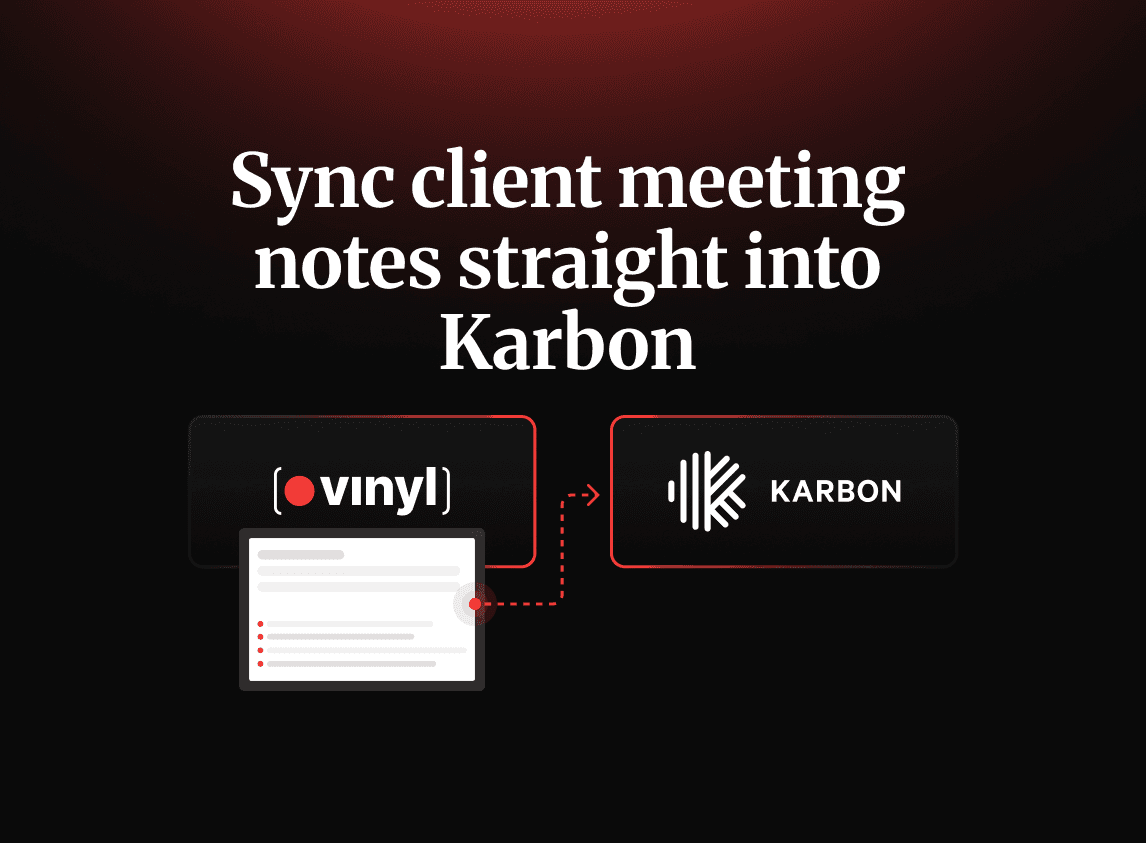
Syncing client meeting notes directly into Karbon helps accounting firms turn conversations into structured client records without manual filing. With Vinyl, summaries, decisions, actions, and supporting meeting records can be matched to the correct client and added to the Karbon timeline while firms retain control over what is shared.
Key points:
Vinyl connects with Karbon so client and contact information does not need to be maintained in separate systems
Meetings from Zoom, Microsoft Teams, Google Meet, phone calls, and in-person conversations can follow the same workflow
Vinyl automatically matches meetings to the relevant Karbon client, contact, or group
Structured summaries and links to the full transcript, notes, and recording can be added to the Karbon timeline
Actions, owners, due dates, and key discussion points remain connected to the client context that created them
Firms can review summaries and control which meetings sync, keeping sensitive or internal conversations private
Centralising meeting information in Karbon reduces manual admin, improves handovers, and gives teams a more complete client record
Karbon is where your firm’s work lives. It holds the emails, tasks, deadlines, workflows and client records your team depends on.
Yet the conversation that created all that work often lives somewhere else.
After a client meeting, the notes may sit in someone’s notebook, inbox, Word document or generic AI notetaker. Actions might be mentioned in Slack, while the recording remains buried in Zoom or Teams. Someone then has to turn those fragments into a usable record and file everything against the right client.
Sometimes that happens hours later. Sometimes it takes days. Sometimes it does not happen at all.
Syncing meeting notes to Karbon closes that gap. Instead of relying on someone to rewrite and manually file each discussion, the summary, supporting record and next steps can flow directly into the client timeline your team already uses.
Your Karbon timeline is missing half the picture
Think about what happens after a typical client call.
Someone needs to review their notes, summarise the discussion, identify decisions, create actions, label the recording, and attach everything to the correct client. If other team members need to complete the work, the attendee must also explain what happened and why.
That administrative process is rarely immediate. It gets pushed behind the next meeting, deadline or client request.
In the meantime, important context remains scattered across handwritten notes, personal inboxes, Word documents, Slack or Teams threads, separate recording platforms or generic notetakers that do not connect to Karbon.
The cost is not limited to the time spent retyping summaries.
Follow-ups can be missed because an action was discussed but never recorded. Colleagues cannot find the context they need without asking the person who attended. Handover becomes harder, and the client record is incomplete when the firm needs a clear audit trail or prepares for the next meeting.
There is a manual-filing tax attached to every call: rewriting notes, tagging recordings, finding the right client, and answering colleagues who ask, “What did they actually say?”
These are some of the most common documentation mistakes that prevent meeting information from becoming useful firm-wide knowledge. Notes should not live in a separate system from the work they are supposed to inform.
High Rock Accounting faced this problem while using Fireflies. The nine-person remote CPA firm could capture conversations, but its meeting notes did not connect to Karbon. After moving to Vinyl, meetings became organised around the same contacts and clients used inside the firm’s practice management system.
As COO Ashley Rhoden said: “Everything’s there immediately – and everyone knows where to look.”
Vinyl’s Client Directory and entity-based organisation connect every meeting to a contact, client or group. Instead of sitting in a standalone library of recordings, the conversation becomes part of the client relationship.
Karbon is only as complete as the information added to it. In many firms, the client conversation is still the most valuable part of the relationship missing from the timeline.
What “synced into Karbon” actually means
Syncing meeting notes should not mean dumping a raw transcript onto the Karbon timeline.
A transcript is useful when someone needs to verify the exact wording of a discussion, but it is not an effective summary. It is too long to scan and still leaves the reader to work out what mattered, what was decided, and what happens next.
A good sync should provide a clean record immediately while keeping the deeper detail available when required.
So what lands on the Karbon timeline after a meeting?
Vinyl posts a structured recap of what was discussed and decided to each matched contact, client or group timeline. This means that a colleague opening Karbon can understand the outcome without reading the whole transcript or watching the recording, while the complete notes, transcript and recording remain one click away in Vinyl.
This keeps the Karbon timeline readable while allowing the team to search the conversation, check the precise wording of a statement, review part of the recording, or share the record securely.
Decisions, next steps, owners, due dates and key topics are saved against the relevant client or group. The delivery team therefore receives more than a disconnected task. It can see the conversation that produced the work and the context needed to complete it properly.
The quality of the summary also matters, and because of that, Vinyl is built for accounting firms and understands discussions involving tax, payroll, compliance, bookkeeping and advisory work. The summary reaching Karbon reflects the meaning of the conversation rather than a generic notetaker’s interpretation.
Different meetings also require different outputs. Through dynamic post-meeting actions, a client discovery call can be processed differently from an internal team meeting. Voiceprint Speaker Identification helps establish who said what, which is particularly important when documenting client requests, recommendations or commitments.
These controls answer the question of whether AI meeting summaries are accurate enough for financial discussions. A summary becomes more trustworthy when it understands accounting language, meeting type, speaker identity and the structure of the client relationship.
“Synced” should mean a polished, attributed, client-ready summary on the timeline, supported by the complete meeting record – not a transcript someone still has to clean up.
How to sync meeting notes to Karbon: from meeting to timeline in minutes
The workflow is intentionally simple. Connect the systems once, then continue running meetings as usual. Here’s how you can do it, step by step:
1. Connect Karbon to Vinyl
Start by connecting your account through the Vinyl and Karbon integration.
After the initial connection is set up, you don’t have to worry about it again. Vinyl pulls in your Karbon clients and contacts and keeps their names and relationships up to date. Your firm does not need to rebuild its client directory or maintain two separate contact lists.
This two-way relationship gives Vinyl the structure it needs to match meetings to the correct records and push the resulting information back into Karbon.
2. Let Vinyl join your meetings
Connect your Google or Microsoft calendar so Vinyl can identify scheduled calls.
Vinyl can automatically join meetings held through Zoom, Microsoft Teams or Google Meet. Your team does not need to remember to start a separate recording process each time.
The mobile app also captures in-person and phone meetings. Whether a client conversation happens online, in the office, or over the phone, the resulting record can follow the same route into Karbon.
3. Match the meeting to the correct client
Because contacts and clients are already synced from Karbon, Vinyl recognises who attended and automatically matches the meeting to the appropriate people, entities and groups.
There is no need for someone to manually tag each recording or search for the right client afterwards.
This is what separates an integrated workflow from a standalone AI notetaker. The meeting is understood as part of a client relationship, rather than stored as another isolated recording.
4. Post the summary to the timeline
After the call, Vinyl creates a formatted summary and posts it to each matched Karbon timeline.
The timeline entry contains the main discussion points, decisions and outcomes, along with links to the full transcript, notes and recording in Vinyl.
By the time another team member opens the client record, the meeting context is already available. They do not need to wait for the attendee to write a summary or send a separate handover.
5. Save the actions with the client
Vinyl captures the agreed next steps, owners, due dates and important topics raised during the discussion. These remain connected to the relevant client or group, allowing the team to move from conversation to delivery without losing the context in between.
We have a great example of how this process simplifies a team’s workflow: Sadler Advisory, a 12-person remote UK firm, saves approximately two to two and a half hours each week by removing manual note-writing. Founder John Sadler described the difference simply: “I can’t imagine not having it now that we’ve got it.”
There is no entirely new meeting process to introduce. You connect once and let Vinyl do the admin while your team continues using its existing calendar, meeting platforms and Karbon workflows.
Staying in control: what syncs and what stays private
The idea of automatic syncing raises an obvious question: does every recorded conversation get pushed straight into Karbon?
It should not.
Internal discussions, sensitive conversations and early-stage reviews may not belong on a shared client timeline. Your firm may also want to check a summary before it becomes part of the permanent record.
Vinyl lets you control what syncs to Karbon.
Your team can review the generated summary and decide whether it should be pushed to the timeline. This preserves the human check while removing the repetitive work of formatting and filing the information after approval.
Sharing is deliberate too. Vinyl supports secure team collaboration while allowing firms to distinguish between information that should remain private and information that can be shared more widely.
The choice between private and shared becomes especially important when several teams, offices, or external participants are involved in the same client relationship.
Automation should remove unnecessary administration, not professional judgement. Your team still decides which meetings belong on the client record, who should access them, and whether a summary needs editing. Vinyl removes the manual filing once that decision has been made.
What firms gain when notes flow into Karbon
1. The immediate benefit is time back
Your team no longer needs to copy and paste notes, rewrite summaries, download recordings, label files, or manually attach them to the correct client. The saving from one meeting may appear small, but it adds up across every client conversation held during the week.
The larger benefit is a more complete and usable client record.
2. Fewer follow-ups rely on memory
Commitments made during meetings are captured and stored against the client.
Actions no longer depend on someone remembering what they promised or finding an old notebook several days later. The owner, due date and surrounding discussion are available from the shared record.
3. Team members can find context themselves
Anyone with the right access can open Karbon and see what happened.
They do not need to interrupt the meeting attendee, search through internal messages, or request a separate explanation. This is particularly useful for remote firms and client relationships involving several service lines.
4. Handover becomes easier
When responsibility for a client changes, the incoming team member can review the progression of conversations, decisions, requests and follow-ups.
The record explains not only what work was completed, but why it was initiated.
5. Client needs are less likely to disappear
Clients often mention future plans, frustrations or unmet needs in passing.
Those comments can be lost when notes are incomplete or reduced to a basic task list. Capturing the whole discussion makes it easier for the firm to recognise the hidden revenue in meetings.
Vinyl captures the signal; the firm still decides whether the need is relevant and how best to respond.
Shapes, a UK advisory firm, evaluated Otter and Fireflies before choosing Vinyl because of its ability to push meeting information back into Karbon. The firm grew revenue by 140% year on year with the same core team. Co-founder Jim Leeves said: “We couldn’t have delivered what we did last year without Vinyl and Karbon.”
When meeting information is consistently available, the Karbon timeline becomes more than a historical paper trail. It becomes a shared source of context the entire team can act on.
Make the meeting part of the client record
If your firm already works in Karbon every day, the missing piece may simply be a reliable connection between the conversations your team is having and the client records those conversations affect.
Vinyl creates that connection without changing how your team meets.
Connect Karbon, run your next call as usual, and see the summary, supporting record and actions reach the timeline without the copy-pasting afterwards.
Start a free trial and watch your next meeting file itself, or book a 15-minute demo to see how the workflow could fit your firm.
FAQs
Does Vinyl automatically post meeting notes to Karbon?
It depends on your sync settings. If auto-sync is enabled, Vinyl posts the meeting summary to the matched client, contact, or group timeline automatically after the meeting, with links to the full transcript and recording. If manual-sync is enabled, your team can review the summary first and choose which meetings to push to Karbon.
How does Vinyl know which Karbon client a meeting belongs to?
Vinyl syncs your clients and contacts from Karbon and matches each meeting against the right people and entities based on who attended. That means notes and actions are linked to the correct client record automatically, without manual tagging.
What gets synced to the Karbon timeline?
Three things: a concise summary of what was discussed and decided, a link to the full notes, transcript, and recording in Vinyl, and the actions – owners, due dates, and key topics – saved against the client record.
Do I have to review notes before they reach the client record?
You stay in control. Vinyl produces a clean, client-ready summary, and you can choose what syncs to Karbon and what stays private to your team, so nothing lands on a client timeline that you don’t want there.
Is Vinyl better than a generic notetaker for Karbon users?
For accounting firms, yes. Generic notetakers like Fireflies or Otter don’t connect to Karbon, so notes still need manual filing and actioning. Vinyl is built for accounting, understands tax and compliance language, and posts structured summaries straight to Karbon timelines.
Can Vinyl capture in-person client meetings for Karbon too?
Yes. Alongside Zoom, Teams, and Google Meet, Vinyl’s mobile app records in-person and phone meetings, then syncs the summary and actions to the right Karbon timeline just like a video call.

Co-Founder

Table of Contents
Start using Vinyl today
Automatically capture all of your meeting notes
Sync notes & actions to your practice management system
Don't let actions & follow ups fall through the cracks
Start capturing meetings with Vinyl today
"I've been wary of AI notetakers in the past...but Vinyl just gets it. So easy to set up, and the summaries hone in on all the important items. Everything just happens automatically, reducing all the small tasks that quickly add up."